

Feature tour
Everything Modyra does, with a runnable example for each.
The screenshots are the framework-free renderer, @modyra/plain, on the modern theme with the
live triadic palette seeded from #0084ff. They are captured from the running demo by
npm run docs:widget-shots, so they can be regenerated rather than trusted — and every other
renderer draws the same seventeen kinds, so what you see here is the contract, not one adapter’s
interpretation of it.
For the concepts behind any of this, start with the mental model.
Structure
Section titled “Structure”A form is built from four kinds of node. They nest freely.
Fields
Section titled “Fields”import { createForm, email, field, min, required } from "@modyra/core";
const form = createForm({ name: field("", [required()]), age: field<number | null>(null, [min(18)]), contact: field("", [required(), email()]),});
form.f.name.set("Ada");form.f.name.errors(); // []form.f.age.required(); // falseEach handle exposes value, errors, valid, touched, dirty, pending, required,
disabled and readonly as signals, plus set, markAsTouched and markAsDirty.
Groups — nesting, with the types intact
Section titled “Groups — nesting, with the types intact”import { createForm, field, group } from "@modyra/core";
const form = createForm({ shipping: group({ city: field("Rome"), zip: field(""), coords: group({ lat: field(0), lng: field(0) }), }),});
form.f.shipping.coords.lat.set(41.9);form.getValue().shipping.city; // string, not unknownA group is naming, not a container: shipping.coords.lat is one flat field path underneath. Nesting
depth is not limited.
Arrays — rows by position
Section titled “Arrays — rows by position”import { array, createForm, field, group, required } from "@modyra/core";
const form = createForm({ items: array(group({ sku: field("", [required()]), qty: field(1) })),});
form.f.items.push({ sku: "A-1", qty: 2 });form.f.items.insert(0, { sku: "A-0", qty: 1 });form.f.items.move(0, 1);form.f.items.remove(1);
form.f.items.length(); // numberform.f.items.rows()[0].sku.value();Rows are addressed by index, so a row is its position. Sorting the array moves the values.
Records — rows by key
Section titled “Records — rows by key”import { createForm, field, group, record, required } from "@modyra/core";
const form = createForm({ lines: record(group({ label: field("", [required()]), qty: field(0) })),});
form.f.lines.upsert("espresso", { label: "Espresso", qty: 2 });form.f.lines.upsert("cornetto", { label: "Cornetto", qty: 0 });form.f.lines.rename("espresso", "double-espresso");form.f.lines.remove("cornetto");
form.f.lines.keys(); // declared keys, in declaration orderform.f.lines.row("double-espresso").qty.value();form.f.lines.cell<number>("double-espresso", "qty");The difference from an array is what a row’s identity is. A record row is its key, so sorting, filtering or collapsing the view moves nothing: the row keeps its value, its validity and its touched state wherever it is drawn — or even when it is not drawn at all. Existence belongs to the collection, not to what happens to be mounted.
Use a record when rows are keyed by something real — a product code, a locale, a user id — and an array when position is the meaning.
The controls
Section titled “The controls”Seventeen widget kinds, identical in every renderer that draws them.
text, email, password, textarea
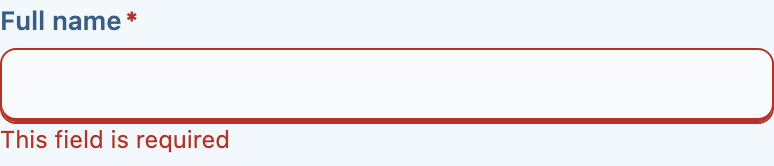

{ name: "email", kind: "email", label: "Email", validators: { required: true } }email and password are text with the right input type and semantics — same anatomy, same
states.
Numbers
Section titled “Numbers”number, slider


{ name: "volume", kind: "slider", label: "Volume", min: 0, max: 100, step: 1 }Booleans
Section titled “Booleans”checkbox, toggle


Choosing one
Section titled “Choosing one”radio, segmented


{ name: "billing", kind: "segmented", label: "Billing", options: [ { value: "monthly", label: "Monthly" }, { value: "yearly", label: "Yearly" },] }Both express the same choice; they differ in how much room they take and how many options stay
readable. A segmented control with a dozen options is a select.
Choosing from a list
Section titled “Choosing from a list”select, multiselect

A select declares whether it filters, rather than leaving a renderer to guess — see ADR 0018.
The multiselect carries a quantity per option as well as membership, so a chip can be a count rather than a flag:

{ name: "country", kind: "select", label: "Country", searchable: true, options: [ { value: "IT", label: "Italy" }, { value: "FR", label: "France" },] }Dates and times
Section titled “Dates and times”datepicker, daterange, timepicker



A datepicker stores an ISO calendar date — "2026-07-15" — never a Date and never an instant,
so nothing can convert its timezone. A timepicker stores "HH:mm AM/PM", or "HH:mm" in 24-hour
mode. See internationalization for parsing, locale and the first day of the week.
Colours
Section titled “Colours”colors

file
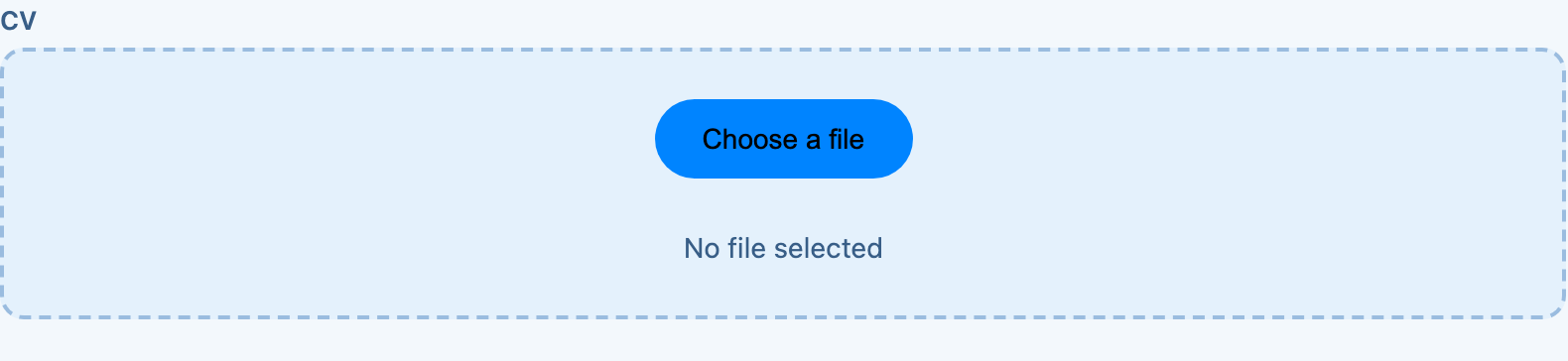
{ name: "attachment", kind: "file", label: "Attachment", multiple: true, accept: ".pdf,.png" }File contents are never read or serialized: mdyFormSerialize turns a File into a descriptive
string.
All of them together
Section titled “All of them together”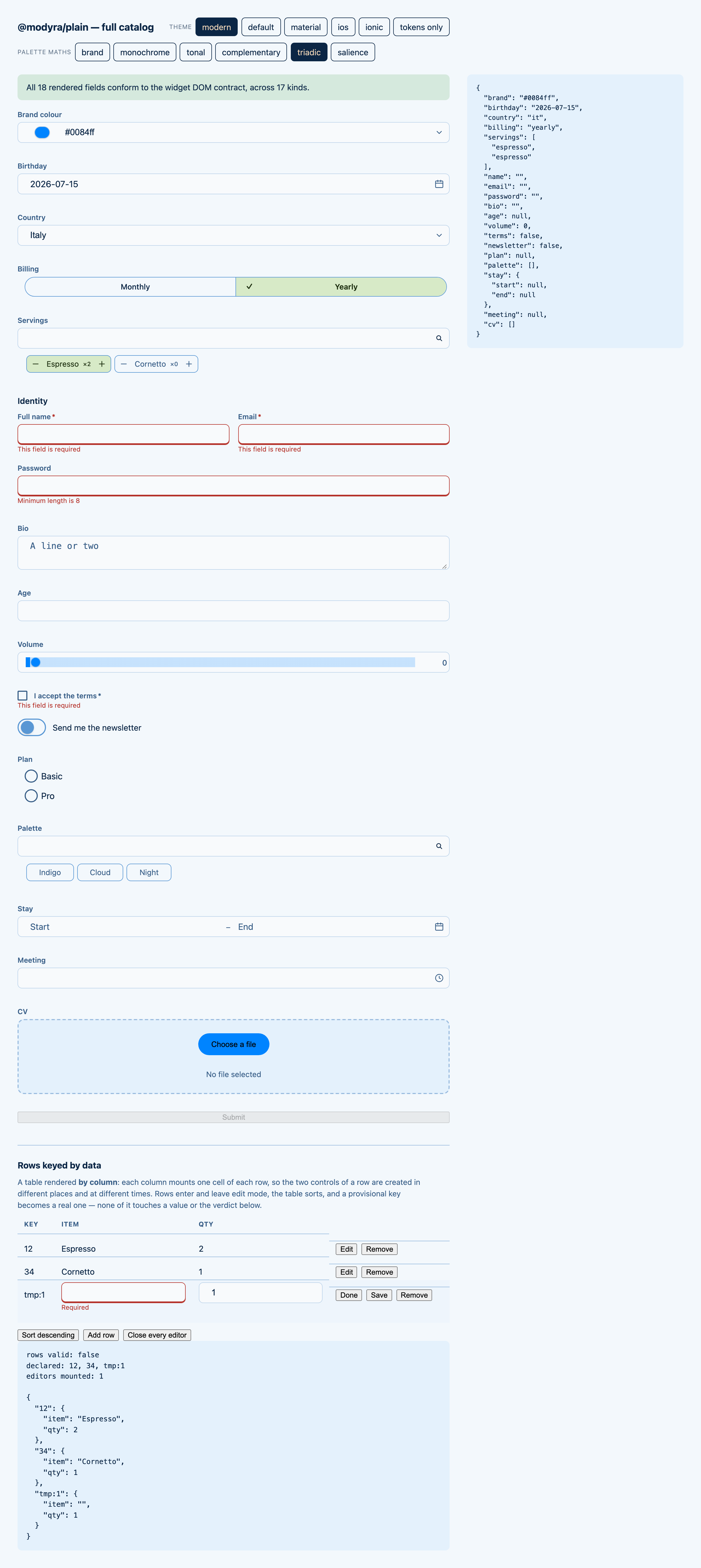
Validation
Section titled “Validation”Synchronous
Section titled “Synchronous”import { createForm, field, maxLength, minLength, pattern, required } from "@modyra/core";
const form = createForm({ username: field("", [required(), minLength(3), maxLength(20)]), code: field("", [pattern(/^[A-Z]{2}-\d{4}$/)]),});Asynchronous, with cancellation
Section titled “Asynchronous, with cancellation”import { createForm, field, serverValidator } from "@modyra/core";
const form = createForm({ country: field("IT"), coupon: field("", [], serverValidator( async (code, ctx) => { const res = await api.check(code, ctx.form.fieldValue("country"), { signal: ctx.signal }); return res.valid ? null : "Not valid for this country"; }, { dependsOn: ["country"], debounceMs: 400, timeoutMs: 5_000 }, )),});A request in flight is aborted when the value or a dependency changes, so a stale response cannot
overwrite a newer one. pending() covers the debounce window and the run.
Across fields
Section titled “Across fields”import { crossField } from "@modyra/core";
createForm(schema, { validators: [ crossField(["password", "confirm"], (v) => v.password === v.confirm ? null : "Passwords do not match"), ],});An empty paths array attributes the error to the form instead of to any field.
From a schema
Section titled “From a schema”import { createZodForm } from "@modyra/zod";import { z } from "zod";
const form = createZodForm(z.object({ email: z.string().email(), age: z.number().min(18),}));Zod through @modyra/zod, or any Standard Schema library — Valibot, ArkType — through
@modyra/standard-schema. See schema adapters.
Beyond validation
Section titled “Beyond validation”Drafts
Section titled “Drafts”createForm(schema, { draft: { key: "checkout", ttlMs: 86_400_000, exclude: ["card"], version: 2 },});The in-progress value survives a refresh. Excluded fields are never written, a successful submit
clears the draft, and a ttlMs or version mismatch discards it. Storage defaults to
localStorage — origin-wide and plain text, so read security before storing
anything sensitive.
Undo and redo
Section titled “Undo and redo”History is opt-in — pass history when you create the form:
const form = createForm(schema, { history: true });// or { history: { maxEntries: 100, debounceMs: 250 } }
form.mutate(() => {          // one history entry, not three  form.f.a.set(1);  form.f.b.set(2);  form.f.c.set(3);});
form.undo();       // back to where mutate() startedform.redo();form.canUndo();    // false when there is nothing to restore
History restores values only — never touched, dirty or errors.
What actually changed
Section titled “What actually changed”form.getChanges(); // only the leaves that differ from their initial valueSubmission and server errors
Section titled “Submission and server errors”await form.submit(async (value) => { const res = await api.save(value); return res.ok ? [] : [{ path: "email", kind: "server", message: res.error }];});Submission is gated by canSubmit(). Returned errors are attached to their fields and cleared as
soon as the field’s value stops matching what was submitted. An error whose path matches no field
surfaces on errorsFor("").
Injection prevention
Section titled “Injection prevention”createForm(schema, { security: { sanitize: "text", maxValueLength: 5_000, onViolation: (v) => log(v) },});Sanitization is opt-in — the default is "off". See security.
Where to go next
Section titled “Where to go next”- Typed forms — the same ground in depth
- Usage modes — typed, contract-driven or headless
- Forms as data — the same controls, declared as JSON
- The UI toolkit — theming, and what a renderer owes the contract